6 Best Fingerprint Door Locks (October 2026)
The best fingerprint door locks include the eufy C220 for everyday family entry, the Wyze Auto-Lock Bolt v2 for backup power planning, and the Yamiry fingerprint handle lock for lever handle replacements.
On this page (9 sections)
- How we chose the best fingerprint door locks
- The best fingerprint door locks for different entry needs
- Which fingerprint lock features matter most?
- How do you check door fit before ordering?
- How do you set up a fingerprint door lock?
- How should you manage guest and family access?
- What care helps a fingerprint lock work consistently?
- Which common buying mistakes should you avoid?
- Which fingerprint door lock should you choose?
The eufy C220 is the best fingerprint door lock for most homes because it combines fingerprint entry, direct Wi-Fi control and practical backup access. Choose Wyze for emergency power, Veise for regular visitors, or Aqara for an Apple Home setup that meets its device requirements.
Start with your door and household routine. A lock should fit the hardware you want to keep, give everyone a usable entry method and leave you a way inside when batteries run low.
Our complete guide to smart locks and keyless entry explains the wider category. For security questions, read how fingerprint door lock safety works.
Our picks at a glance
-
1
-
2

-
3

- 4
 Best for recurring household visitorsCheck it
 - 5
 Best for Apple Home householdsCheck it
 - 6
 Check it
Ulecoce U68 fingerprint deadbolt
Best for matching knob replacements
How we chose the best fingerprint door locks
We prioritized door fit, everyday access and backup entry, then considered remote control and guest management. Those choices matter more than small differences in advertised fingerprint speed.
We compared each lock's features and hardware requirements for common household needs. A family keeping its existing handle needs a different recommendation from someone replacing the whole door set.
Connection requirements also shaped the choices. Remote access without extra hardware is useful, while a gateway-based model can still suit a buyer who mainly wants fingerprint entry at the door.
We gave each product a distinct role rather than treating every feature as equally valuable. Apple Home support matters to an equipped household; recurring visitor codes matter more to someone coordinating a cleaner and a sitter.
| Product | Best for | Entry methods | Connectivity | Hardware | Our score |
|---|---|---|---|---|---|
| eufy C220 | everyday family entry | Fingerprint, app, keypad, physical key, Apple Watch, voice | Built-in Wi-Fi | Deadbolt replacement | 8.7 |
| Wyze Auto-Lock Bolt v2 | backup power planning | Fingerprint, app, code, physical key | Built-in Wi-Fi | Deadbolt replacement | 8.5 |
| Yamiry fingerprint handle lock | lever handle replacements | Fingerprint, app, passcode, fob, mechanical key | Bluetooth; separate Wi-Fi gateway for remote control | Reversible handle set | 8.2 |
| Veise VE017 fingerprint lock | recurring household visitors | Fingerprint, app, card, code, mechanical key | Bluetooth; G1 gateway needed for remote control | Deadbolt replacement; no handle included | 8.1 |
| Aqara U400 | Apple Home households | Fingerprint, passcode, Apple Home Key, app, voice, NFC card, physical key | Matter over Thread; compatible controllers required | Deadbolt replacement with rekeyable cylinder | 8.0 |
| Ulecoce U68 fingerprint deadbolt | matching knob replacements | Fingerprint, keypad, app, physical key | Bluetooth; separate gateway needed for remote control | Deadbolt with knob set | 7.9 |
The best fingerprint door locks for different entry needs
Choose eufy for general family use, then move to another pick when a specific need changes the decision. The differences below explain who should buy each lock and who should skip it.
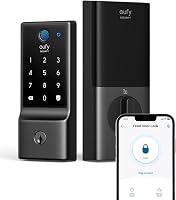
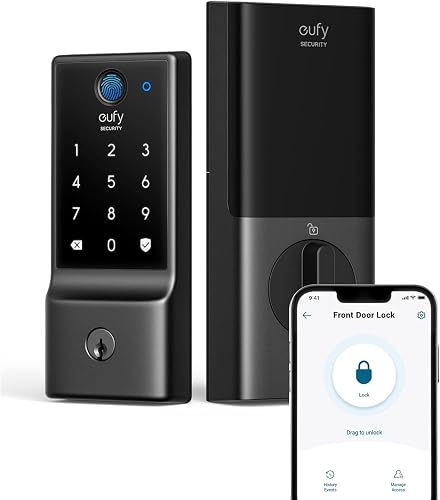
eufy C220
- Fingerprint, app, keypad, physical key, Apple Watch and voice access
- Built-in Wi-Fi
- About 8 months from 8 AA batteries, depending on use
- BHMA Grade 3 certified
A practical choice for families who want fingerprint entry and remote app control without adding a bridge. Keep another option in mind if you need a cylinder that can be rekeyed.
Pros
- Remote control without a bridge
- Separate family and guest credentials
- Works with eufy doorbell routines
Cons
- Uses 8 AA batteries
- Cannot be rekeyed
The eufy C220 suits a family that wants fingerprint entry for daily use and remote app control without installing another device. Its built-in Wi-Fi removes the separate bridge from the setup.
There are 6 entry methods, including Apple Watch and voice access, so household members don't all have to use the reader. It can store up to 50 fingerprints and 100 passcodes, with individual profiles and scheduled codes for trusted visitors.
That makes it useful when adults want fingerprints while guests receive codes. Remove a visitor's credential when access ends instead of changing a shared household code.
eufy estimates about 8 months from 8 AA batteries, depending on use, and identifies the C220 as BHMA Grade 3 certified. If you already use a eufy doorbell, shared app routines offer another reason to choose it.
Skip it if matching physical keys across doors is essential, because the cylinder cannot be rekeyed. Also check your door measurements before relying on eufy's standard-deadbolt compatibility claim.
Our eufy C220 review covers the choice in more detail.
Wyze Auto-Lock Bolt v2
- Fingerprint, app, code and physical key access
- Built-in Wi-Fi
- Up to 8 months from 8 AA batteries
- USB-C emergency power
Choose Wyze if you want remote access with an external power option for drained batteries. Its emergency port works with a power bank, while a physical key provides a separate fallback.
Pros
- USB-C emergency power
- Remote control without a gateway
- Anti-peep keypad
Cons
- Uses 8 AA batteries
- Emergency power requires an accessible power bank
Wyze Auto-Lock Bolt v2 is the better choice when you want remote control and an extra response to drained batteries. Its USB-C emergency power port accepts power from a common power bank.
That port supplies power for entry; it doesn't replace the need for a valid credential. Keep a suitable cable and power bank somewhere accessible outside the locked home, such as with your travel kit.
The lock also provides fingerprint, app, code and physical key access, plus built-in Wi-Fi. Wyze estimates up to 8 months from the 8 included AA batteries.
Wyze describes the tempered-glass scanner as scratch- and smudge-resistant and says its recognition adapts with use. Treat careful enrollment and a backup method as part of setup, regardless of learning features.
This is a strong fit if you use a Wyze Video Doorbell, since pairing allows door control from its live feed. Auto-lock and an anti-peep keypad add useful everyday controls.
Skip it if you want a rechargeable main battery or matching handle hardware. Also remember that emergency power won't correct a jammed bolt or a door that's out of alignment.
Yamiry fingerprint handle lock
- Fingerprint, app, passcode, fob and key access
- Reversible handle
- Bluetooth app control
- Separate gateway needed for remote control and Alexa
This handle set suits a door refresh where you want a lever and several ways to enter. Fobs offer an alternative for household members who prefer carrying a credential.
Pros
- Reversible handle direction
- Includes 2 fobs and 2 mechanical keys
- Temporary and one-time visitor access
Cons
- Remote and Alexa features require a separate gateway
- Handle layout needs careful fit checks
The Yamiry fingerprint handle lock suits a door refresh where you want to replace the lever or knob, rather than just the deadbolt. Its reversible handle works with left- or right-handed doors.
Fingerprint, passcode, app, fob and mechanical key entry give the household several choices. The included fobs are useful for someone who prefers a carried credential and doesn't want to enter a code.
Nearby app control uses Bluetooth. Remote control and Alexa access require a separately sold Wi-Fi gateway, so include that device in your plan if you want to manage the door while away.
The app supports permanent and temporary access, one-time visitor codes and entry records. For a guest visit, a separate credential is easier to retire than a code shared with the whole household.
Check the handle's footprint, latch position and surrounding clearance before buying. A reversible lever solves door direction, but it doesn't settle every fit question.
Choose Yamiry when the handle replacement is part of the goal. Skip it if your existing handle works well and all you need is a fingerprint deadbolt, or if you want remote features without a gateway.
Veise VE017 fingerprint lock
- Fingerprint, app, fob card, code and mechanical key access
- Separate G1 gateway needed for remote control
- Auto-lock setting from 0 to 180 seconds
- IP55 protection
A useful choice for homes with sitters, cleaners or other regular visitors. Recurring codes and individual permissions help keep access tied to each person's schedule.
Pros
- One-time, duration, permanent and recurring codes
- Can pause or delete user access
- USB-C emergency power port
Cons
- Gateway required for remote access
- 4 AA alkaline batteries are not included
The Veise VE017 is the strongest fit here for homes with recurring visitors. Its code options include one-time, duration, permanent and recurring access, so a weekly cleaner needn't receive the same permissions as family.
User management lets you change, pause or delete access. Name each credential clearly so entry records remain useful when several people use the door.
The separate Veise G1 gateway is required for remote locking, opening and connected monitoring. Without planning for it, you could end up with fewer away-from-home controls than you expected.
The VE017 fits doors 1-3/8 to 2 in thick with a 1-1/2 or 2-1/8 in bore. It doesn't include a handle, making it a candidate for keeping your existing lower hardware.
Its auto-lock setting runs from 0 to 180 seconds. Veise also specifies IP55 protection, low-battery alerts and a USB-C emergency port, with about 12 months of use from 4 AA alkaline batteries that aren't included.
Choose it for structured guest access and individual permissions. Skip it if you want a complete handle set or direct remote control without an added device.
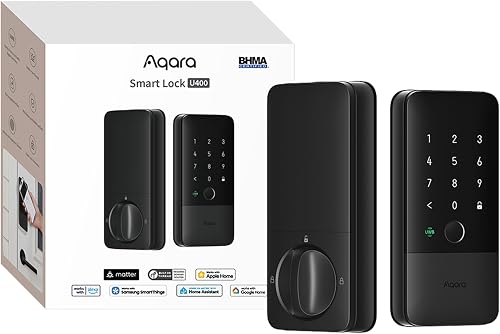
Aqara U400
- Fingerprint, passcode, Apple Home Key, app, voice, NFC card and physical key access
- Matter over Thread
- Rechargeable battery lasts up to 6 months per charge
- UWB entry requires compatible Apple devices and hub
The U400 suits Apple Home users who want tap entry or compatible UWB approach entry alongside a fingerprint reader. Confirm your devices and controllers before choosing it.
Pros
- Apple Home Key support
- Removable rechargeable battery
- Cylinder can be rekeyed
Cons
- Smart-home features require compatible controllers
- NFC card is sold separately
Aqara U400 suits Apple Home users who want fingerprint entry plus tap or approach-based access. Confirm the Apple requirements first, since owning an iPhone alone isn't enough.
Apple Home Key requires an Apple Thread-enabled Matter controller, such as HomePod mini, HomePod 2nd Gen or Apple TV 4K 2021/2022. Other smart-home platforms each need a suitable Thread-enabled Matter controller.
UWB approach entry requires a Thread-enabled Apple Home hub and an iPhone 11 or later with iOS 18.5+, excluding iPhone SE and iPhone 16e. Supported watches are Apple Watch Series 6 or later with watchOS 11.5+, excluding SE.
Those options are useful if gloves or full hands make fingerprint entry awkward. The reader remains another choice for household members using a different entry routine.
Aqara estimates up to 6 months per charge from the removable battery. It also specifies an IP65 exterior and a rekeyable cylinder; NFC cards are sold separately.
Skip it if you want a simple direct-Wi-Fi installation and don't want to arrange controllers. Read our Aqara U400 review if its Apple features are the main reason you're considering it.
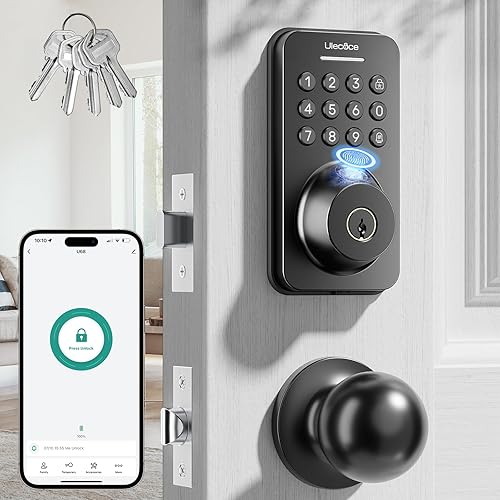
Ulecoce U68 fingerprint deadbolt
- Fingerprint, keypad, app and physical key access
- Bluetooth app control
- Separate gateway needed for remote and voice control
- Includes 2 knobs and 5 backup keys
A practical option when you want to replace the deadbolt and knobs together. Plan for a separate gateway if managing access while away is part of the job.
Pros
- Includes knobs and backup keys
- Auto-lock delay from 5 to 60 seconds
- Supports several guest code types
Cons
- Gateway required for remote and voice control
- Nearby Bluetooth app entry has a stated 5 m range
The Ulecoce U68 suits buyers replacing a deadbolt and knobs together. Its package includes 2 knobs and 5 backup keys, which helps when you're planning a coordinated hardware change.
Fingerprint, keypad, app and physical key entry cover different household preferences. Nearby app entry uses Bluetooth within a stated 5 m range, while remote and voice control need a separately sold Ulecoce gateway.
The access-code options include one-time, permanent, scheduled, recurring and custom codes. Choose the narrowest access window that fits each visitor's job, then delete credentials you no longer need.
Its auto-lock delay adjusts from 5 to 60 seconds. Start with enough time for normal arrivals so the bolt doesn't extend while someone is still moving bags through the doorway.
Check the space between your existing deadbolt and knob holes, along with the dimensions of both replacement pieces. A kit still needs to match the door's layout.
Choose the U68 when matching knobs are part of the replacement job. Skip it if you want to keep your lower hardware or need remote control without adding a gateway.
Which fingerprint lock features matter most?
Choose by door fit, household access and connection needs, in that order. A feature only earns its place if someone in your home will use it.
Does the best fingerprint door lock need Wi-Fi?
A fingerprint door lock doesn't need remote control to make daily entry easier. If your goal is simply getting inside without carrying a key, focus on the reader, keypad and backup plan first.
Remote access earns its keep when you need to admit someone unexpectedly or check the lock while away. Decide who will use those controls before adding another connected device.
Bluetooth app access near the door is different from control across town. Our guide to whether smart locks work without Wi-Fi explains which functions can stay local.
Should you choose a deadbolt or handle set?
Keep your existing handle if it's comfortable, secure and in good condition. Replace the lower hardware when you need a different grip, a matching finish or repairs to worn parts.
A handle set can also cover a different area of the door than your old hardware. Check for exposed paint lines, old screw holes and clearance around trim before choosing by appearance.
Which backup entry options are useful?
Plan for both a rejected fingerprint and a loss of power. A keypad can solve the first problem, while a physical key or supported emergency power option can help with the second.
Fobs and phone access can make entry easier for different users, but don't assume every method works during every failure. An app connection won't move a bolt that's binding against the frame.
Are faster fingerprint claims worth chasing?
Don't choose between these locks based on fractions of a second. Finger placement, skin condition and door alignment can matter more to your daily routine than the advertised recognition time.
A lock that works with everyone's preferred entry method is a better household fit than one chosen only for its scanner speed. Someone wearing work gloves may use the keypad more often than the reader.
How do you check door fit before ordering?
Measure door thickness, bore diameter, backset and hardware clearance before buying. Also check that the current bolt moves freely with the door closed.
The bore is the large hole through the door, while backset is the distance from the door edge to that hole's center. Compare your measurements with the installation requirements for the exact model.
Look at the interior side as well as the exterior. A larger battery housing can compete for space with trim, a nearby handle or another piece of door hardware.
Check clearance to a storm door if you have one. A lock that fits the main door can still interfere with a second door's handle or closing path.
Fix sticking hardware first. If you need to lift the door or pull hard on it to turn the existing thumbturn, inspect the hinges and strike alignment before adding a motor.
Use our smart lock compatibility guide to work through the measurements. Renters should also confirm that replacing hardware is allowed and clarify how approved emergency access will work.
How do you set up a fingerprint door lock?
Install the lock with the door open, confirm smooth bolt travel and establish backup entry before using automatic locking. Follow the model's instructions for handing, calibration and pairing.
Avoid forcing parts into place or overtightening screws to pull misaligned pieces together. If the thumbturn becomes stiff after tightening, revisit the assembly rather than expecting the motor to overcome it.
Set up administrator access first
Use your own administrator account and a unique password. Enable additional account protection where available, and keep recovery details somewhere you can reach if you lose your phone.
Give another trusted adult a suitable access method before ending setup. A household shouldn't depend on one phone or one person's fingerprint.
Enroll fingers the way you'll use them
Start with clean, dry fingers and follow the enrollment prompts closely. Place your finger at natural angles instead of recording only a careful, straight-on position you won't repeat at the door.
Add another finger if the lock permits it. Small cuts, worn skin or a bandage can make your usual finger less useful, so show everyone how to use the keypad too.
Check entry methods before closing the door
With the door open, confirm the reader, code, key and interior thumbturn work as instructed. Then check normal operation with the door closed while keeping another way inside available.
Set up remote features separately from local entry. A successful fingerprint entry doesn't confirm that a gateway, Wi-Fi connection or smart-home controller is working.
Our guide to how to install a smart lock walks through the job in more detail.
How should you manage guest and family access?
Give each person a separate credential wherever possible, and match its permissions to the reason they need entry. This makes access easier to remove and records easier to understand.
A regular cleaner needs a recurring window, while a repair visit may need a one-time or short-duration code. Avoid making every visitor a permanent user just because it's quicker during setup.
Keep guest codes distinct from administrator credentials. Share them directly with the intended person, and avoid putting access details into group messages with people who don't need them.
Review users after a move, a lost fob or a change in household staff. Delete old fingerprints, codes and app permissions rather than leaving them active for convenience.
For households that mainly want code-based entry, our best keypad door locks guide offers another route. Fingerprint access is useful when it fits your routine, but every family member needs a method they can use confidently.
What care helps a fingerprint lock work consistently?
Keep the reader clean, the bolt aligned and the power maintained. Those habits address common entry problems without changing how the household uses the door.
Wipe the reader with a soft cloth and follow the manufacturer's cleaning guidance. Avoid abrasive cleaners or spraying liquid directly into the reader, keypad or keyway.
If fingerprints start failing, clean and dry your finger before trying again. Re-enroll a troublesome finger according to the instructions instead of repeatedly pressing harder.
Check batteries when alerts appear, rather than waiting for entry to fail. Follow the specified battery type and replacement procedure, and keep a charging routine for a rechargeable model.
Recheck alignment when weather changes how the door closes. Scraping, hesitation or a need to lean on the door calls for attention to the hardware.
Which common buying mistakes should you avoid?
The biggest mistakes are assuming remote features are included, overlooking door fit and skipping backup planning. Settle those points before comparing secondary features.
Don't confuse an emergency USB-C port with a rechargeable main battery. Some ports provide temporary power for entry while the lock still runs on replaceable batteries.
Don't assume auto-lock confirms the door is shut. A timed locking action and a door-position check are different functions, so confirm exactly what your chosen setup does.
Don't leave every backup key inside the house. The same goes for a power bank you expect to use for emergency entry.
Don't choose only by smart-home logos. Confirm which controller, gateway or device is required for the specific feature you want, including remote access and voice control.
Which fingerprint door lock should you choose?
Choose the eufy C220 if the best fingerprint door lock for your home needs convenient family access and remote control without a bridge. Choose Wyze Auto-Lock Bolt v2 when external emergency power is a priority.
Pick Yamiry for a lever replacement or Ulecoce U68 for a deadbolt and knob refresh. Choose Veise VE017 when recurring visitors and individual access schedules shape your week.
Choose Aqara U400 when you have, or plan to arrange, the Apple devices and controllers its entry features require. Its rekeyable cylinder also matters if matching physical keys is part of your plan.
Before ordering, measure the door and decide where your backup credential will live. Use our guide to choosing a smart lock to turn those decisions into a final fit and connection checklist.
Our top 3 picks at a glance
-
1
-
2
-
3
Frequently asked questions
What is the best fingerprint door lock for most homes?
The eufy C220 is the best fingerprint door lock for most homes because it combines everyday fingerprint entry with remote control without a separate bridge. Choose a different model if you need matching handle hardware, a rekeyable cylinder or Apple Home Key.
Door fit should decide the final choice.
Do fingerprint door locks still have a backup key?
All 6 picks here support physical key entry. Keep a key somewhere you can reach from outside, rather than leaving every spare inside the house.
A keypad is another useful fallback for a rejected fingerprint, but it still depends on the lock having power.
Can I control a fingerprint lock remotely?
Yes, but the connection requirements differ. eufy C220 and Wyze Auto-Lock Bolt v2 have built-in Wi-Fi; Yamiry, Veise and Ulecoce need compatible gateways for remote control. Aqara U400 uses Matter over Thread with compatible controllers.
Nearby Bluetooth app access alone doesn't mean you can control a lock while away.
Will a fingerprint lock fit my existing door?
A fingerprint lock fits only when its door thickness, bore, backset and hardware clearance requirements match your door. Measure before ordering, including the space between the deadbolt and handle.
A door that needs lifting or pulling to turn its current bolt also needs alignment work before the new lock goes in.
Are fingerprint door locks safe?
Fingerprint door locks can provide useful access control, but the reader is only one part of door security. The frame, strike, installation, app account and guest permissions all matter.
Keep a backup entry plan and remove old credentials promptly.
Our guide to fingerprint door lock safety explains these trade-offs.