8 Best Smart Locks (October 2026)
The best best smart locks for home entry include the Schlage Encode for busy households, the Philips Wi-Fi Keypad Deadbolt for replacing door hardware, and the eufy C220 for fingerprint-first families.
On this page (8 sections)
- How we chose the best smart locks
- Smart lock features compared
- Which smart lock fits your entry routine?
- Which smart lock features should you prioritize?
- What should you check before buying a smart lock?
- How should you set up a smart lock?
- How do you keep a smart lock reliable?
- Which is the best smart lock for your home?
The best smart lock for most homes is Schlage Encode because it makes shared keypad access and remote door management straightforward. Choose eufy C220 for fingerprint entry, Philips Wi-Fi Keypad Deadbolt when you also need matching handles, or Aqara U400 for approach-based Apple entry.
Start with the way your household comes home, then check the door and connection requirements. A useful lock lets regular users enter easily and gives visitors limited access without creating extra account work.
Our smart lock and keyless entry guide explains the main lock types. For network choices, see the Wi-Fi smart lock guide; for hardware questions, start with smart lock compatibility and setup.
Our picks at a glance
-
1
-
2
-
3
How we chose the best smart locks
The best smart locks combine a suitable door fit with access methods your household will use. We compared entry options, remote connections, guest controls, power arrangements, and backup access.
Schlage Encode leads because its keypad and app cover everyday household needs without a separate hub. Other picks earn their place through a matching handle set, fingerprint access, larger guest-code capacity, or specific Apple features.
A higher score doesn't override a missing requirement. Someone who wants Apple Home Key should choose around that feature, while someone replacing both handles and a deadbolt should start with hardware fit.
Smart lock features compared
Compare connection requirements and daily entry methods first, then use code capacity and power options to narrow your choice. A long feature list helps only when those features work with your door, devices, and routine.
| Product | Best for | Remote connection | Daily entry | Power | Our score |
|---|---|---|---|---|---|
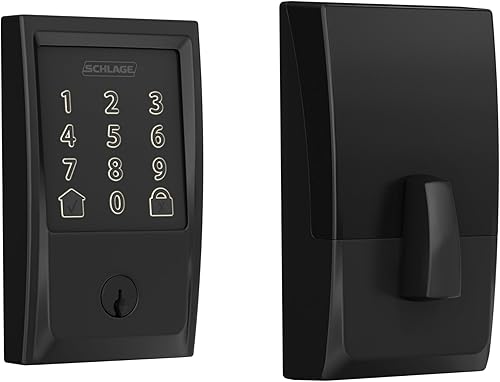
| Schlage Encode | busy households | Built-in Wi-Fi; no separate hub | Touchscreen, app, physical key | Four AA batteries, included | 9.1 |
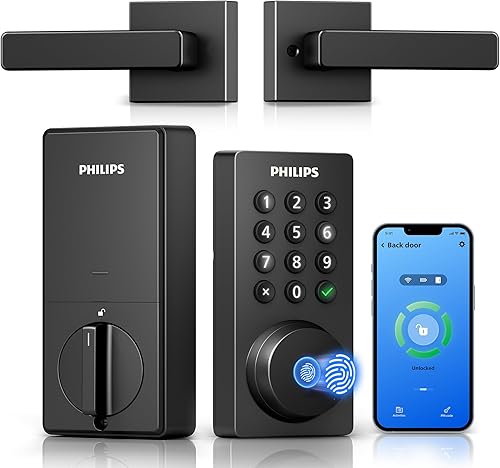
| Philips Wi-Fi Keypad Deadbolt | replacing door hardware | Built-in Wi-Fi; no separate hub | Fingerprint, keypad, app, key, voice | Standard 1.5V alkaline batteries; not included | 8.8 |
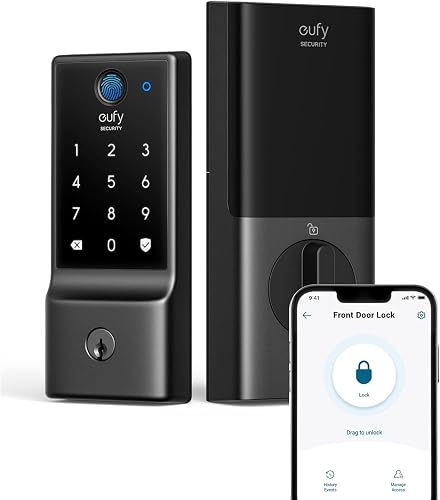
| eufy C220 | fingerprint-first families | Built-in Wi-Fi; no separate bridge | Fingerprint, app, keypad, key, Apple Watch, voice | Eight AA batteries, included | 8.7 |
| Philips Wi-Fi Smart Deadbolt | scheduled visitors | Built-in 2.4 GHz Wi-Fi; no separate hub | App, passcode, fingerprint, key, voice | AA alkaline batteries; not included | 8.6 |
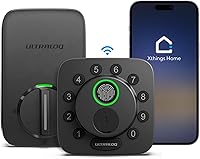
| Ultraloq Bolt SE Wi-Fi | connected home planners | Direct Wi-Fi or Matter over Thread with compatible hub | Fingerprint, code, app, web portal, shared eKey, voice, key | Four AA batteries; not included | 8.4 |
| Aqara U400 | hands-full Apple users | Matter over Thread; compatible controller required | UWB, Home Key, fingerprint, passcode, app, voice, NFC card, key | Removable rechargeable lithium battery | 8.0 |
| Aqara U100 | Apple tap entry | Aqara Zigbee 3.0 hub required for remote password setup | Home Key, fingerprint, password, mechanical key | Four AA 1.5V batteries, included | 7.7 |
| Kwikset Halo Wi-Fi | frequent guest turnover | Built-in Wi-Fi; no separate hub | Touchscreen, app, geofencing, physical key | Battery-operated; batteries included | 7.3 |
Which smart lock fits your entry routine?
Choose the lock that solves your main access problem with the fewest extra steps. Each pick below has a clear buyer, along with a reason to choose something else.
Schlage Encode
- Built-in Wi-Fi
- Up to 100 access codes
- App history and notifications
- Adjustable auto-lock delay
Choose Encode for shared keypad access and remote door management without a separate hub. Its adjustable auto-lock delay helps you match the lock to your household's routine.
Pros
- Individual codes for family and visitors
- Remote control without a separate hub
- Physical backup key included
Cons
- No fingerprint entry
- Fit limited to specified door thickness and backset
Schlage Encode suits a busy household that wants to manage people coming and going without adding another hub. The Schlage Home app provides remote control, lock history, and customizable notifications.
Its 100-code capacity gives family members and visitors separate credentials. Individual codes make removing one person's access easier than changing a shared household PIN.
Schlage includes an adjustable auto-lock delay and one-touch exterior locking. Set a delay that allows time to carry groceries inside, and keep the forced-entry and door-movement alarm settings appropriate for your entry.
Schlage says 4 included AA batteries provide up to 6 months of typical use. Low-battery warnings appear on the touchscreen and in the app, so you have more than one reminder to replace them.
Skip Encode if fingerprint entry is your main reason for buying. It fits doors 1-3/8 to 1-3/4 in thick with a 2-3/8 or 2-3/4 in backset; our front door smart lock picks offer more ways to narrow the choice.
Philips Wi-Fi Keypad Deadbolt
- Matching handle set included
- Fingerprint and keypad entry
- Permanent and timed guest codes
- Built-in 2.4 GHz Wi-Fi
This set suits a front-door refresh that needs both a smart deadbolt and matching handles. Check router placement and door direction before choosing it.
Pros
- Matching handles included
- Several guest-code schedules
- App access history
Cons
- Batteries are not included
- Left-opening doors require a direction reset
Philips Wi-Fi Keypad Deadbolt is the practical pick when your door needs both a deadbolt and matching handles. Buying the pieces together avoids a separate search for a coordinated handle.
Fingerprint and keypad entry suit household members, while permanent, one-time, periodic, and recurring codes cover different visitor schedules. Use recurring access for a regular cleaner and one-time access for a single visit.
Its direct connection needs 2.4 GHz Wi-Fi, and Philips recommends keeping the router within 33 ft. Walls and metal between the router and entry can weaken the connection even inside that distance.
Use standard 1.5V alkaline batteries, which aren't included. Auto-lock starts off disabled, so enable it during setup if you want timed locking.
Skip the set if your existing handle works well and you only need a deadbolt. It fits doors 1-3/8 to 1-3/4 in thick, defaults to right-opening doors, and needs a direction reset for left-opening doors.
eufy C220
- Fingerprint entry
- Built-in Wi-Fi
- Up to 50 fingerprints and 100 passcodes
- eufy doorbell routines
The C220 suits families that prefer fingerprint entry and want several backup methods. It also fits households already managing a doorbell in the eufy Security app.
Pros
- Several alternatives to fingerprint entry
- No bridge required for remote app access
- Batteries and two keys included
Cons
- Cannot be rekeyed
- Battery life varies with use
eufy C220 suits families that want fingerprint entry without giving up other ways inside. Its alternatives include the keypad, app, physical key, Apple Watch, and voice control.
Apple Watch access here shouldn't be confused with Apple Home Key. Choose Aqara U100 or U400 if Home Key is the specific feature you want.
The C220 holds up to 50 fingerprints and 100 passcodes, allowing separate household and visitor access. If you already manage a eufy doorbell, you can combine the devices in routines within the eufy Security app.
eufy says the 8 included AA batteries last around 8 months, depending on use. Its built-in Wi-Fi provides remote app control without a bridge.
Skip this model if you need a rekeyable cylinder to match an existing house key, because the C220 cannot be rekeyed. Check the bore and mounting requirements too; eufy describes compatibility with most standard deadbolts and a removable spacer for bores under 54 mm.
Philips Wi-Fi Smart Deadbolt

- One-time and scheduled guest codes
- Built-in Wi-Fi
- Fingerprint and physical-key entry
- Away Mode
Choose this deadbolt for recurring visitor access while keeping your current handle if it fits. Its timed auto-lock needs a separate check that the door is closed.
Pros
- Flexible visitor-code options
- Activity alerts and access history
- Master-code-only Away Mode
Cons
- Batteries are not included
- Does not have a door sensor
Philips Wi-Fi Smart Deadbolt suits a home with regular visitors who need controlled access. It supports 100 custom passcodes plus one-time and scheduled guest codes, with activity alerts and access history.
Choose it over the Philips handle set when you're keeping a suitable existing handle. Family members can use fingerprint, passcode, app, key, or supported voice access.
Philips says Away Mode restricts entry to the master code. Review that setting before a trip, since it can conflict with arrangements for a house sitter or cleaner.
Auto-lock runs on a 10-to-180-second timer, and there is no door sensor. Skip it if you need the lock itself to confirm that the door has closed.
This model needs 2.4 GHz Wi-Fi, with Philips recommending the router stay within 65 ft. Allow for AA alkaline batteries, which aren't included, and verify the exact fit instructions because the supplied inch and millimeter door-thickness ranges don't match.
Ultraloq Bolt SE Wi-Fi
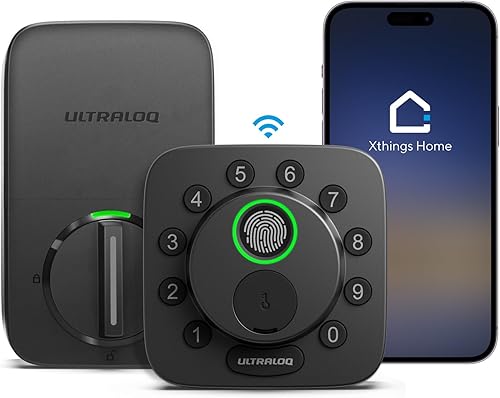
- Built-in Wi-Fi
- Matter over Thread with a compatible hub
- Up to 50 fingerprints and 50 access codes
- Shared eKeys and codes
Bolt SE suits a household that wants direct Wi-Fi today and a Matter over Thread option for its home setup. Confirm the hub requirements for the connection you plan to use.
Pros
- Wi-Fi and Matter over Thread options
- Scheduled and temporary shared access
- Two mechanical keys included
Cons
- Matter over Thread needs a compatible hub
- Door sensor is not included
Ultraloq Bolt SE Wi-Fi suits someone planning a connected home who wants a choice between direct Wi-Fi and Matter over Thread. Direct app control doesn't need a hub, but the Thread route requires a compatible Thread Border Router.
Decide which connection you'll use before buying extra hardware. Matter support is useful when it serves a planned home setup, rather than adding another system to manage.
Bolt SE provides fingerprint, code, app, web portal, shared eKey or code, voice, and mechanical-key access. It holds up to 50 fingerprints and 50 codes, with permanent, scheduled, and temporary sharing options.
Ultraloq claims up to 18 months of battery life through Thread, so don't use that figure as a Wi-Fi estimate. For Wi-Fi, it requires a 2.4 GHz network and recommends a router within 70 ft.
Skip it if door-closed confirmation is essential: a door sensor isn't included. Its timed auto-lock needs a routine that ensures the door actually shuts before the bolt extends.
Aqara U400
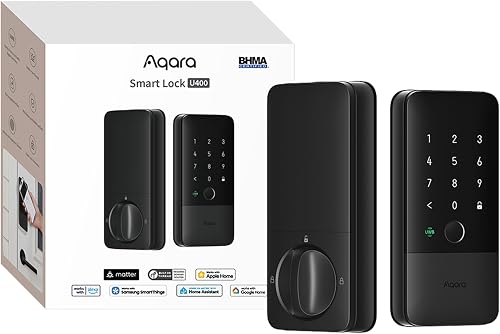
- UWB approach entry with supported Apple devices
- Apple Home Key
- Matter over Thread
- Removable rechargeable battery
The U400 suits Apple users who want approach-based entry and meet its device and hub requirements. Its rechargeable battery can stay in the lock while charging.
Pros
- Approach-based entry with compatible Apple devices
- Rekeyable physical-key cylinder
- Aqara rates the exterior IP65
Cons
- UWB requires specific Apple devices and a hub
- NFC card is sold separately
Aqara U400 suits Apple users who want approach-based entry while carrying bags or wearing gloves. Aqara says UWB uses position and direction to identify an intended approach to the door.
Check compatibility before paying for that convenience. UWB requires a Thread-enabled Apple Home hub, plus iPhone 11 or later excluding SE and 16e, or Apple Watch Series 6 or later excluding SE.
The phone needs iOS 18.5 or later, and the watch needs watchOS 11.5 or later. Skip U400 for this purpose if the devices you carry don't qualify.
Home Key tap entry requires a compatible Apple Thread-enabled Matter controller, such as HomePod mini, HomePod 2nd generation, or the specified 2021/2022 Apple TV 4K models. Each additional ecosystem needs its own compatible Thread-enabled Matter controller.
The removable lithium battery can charge through USB-C while installed or separately. Aqara claims up to 6 months per charge, with a voice warning below 20%; the rekeyable cylinder also suits homes that need to change their physical key.
Aqara U100
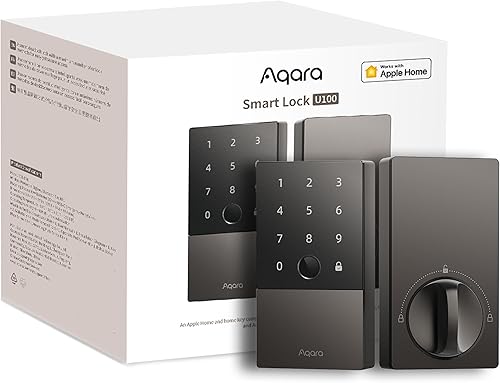
- Apple Home Key
- Up to 50 fingerprints
- Locally generated one-time passwords
- USB-C emergency power
Choose U100 for Apple Home Key tap entry rather than approach-based entry. Plan separately for the Apple and Aqara hubs needed by the features you want.
Pros
- Apple Home Key support
- Auto-lock uses a built-in gyroscope
- USB-C emergency power port
Cons
- Aqara remote password setup requires an Aqara Zigbee 3.0 hub
- Sharing Home Keys requires an Apple Home hub
Aqara U100 suits Apple households that prefer a deliberate tap at the door. Choose it for Home Key rather than the U400's approach-based UWB feature.
Fingerprint, password, and mechanical-key entry give other household members alternatives. Locally generated one-time passwords also provide visitor access without an internet connection.
Hub needs deserve close attention here. Remote password setup through Aqara Home requires an Aqara Zigbee 3.0 hub, while sharing Apple Home Keys requires an Apple Home hub.
Its built-in gyroscope supports auto-lock after the door closes, and Do Not Disturb mode can mute sounds during chosen hours. Those features suit a shared entry where late arrivals shouldn't disturb sleeping family members.
Aqara claims up to 8 months from the 4 included AA batteries, with USB-C emergency power available. Skip U100 if you want direct Wi-Fi remote management without planning for hubs; our fingerprint door lock guide compares other entry approaches.
Kwikset Halo Wi-Fi

- Up to 250 access codes
- Built-in Wi-Fi
- Temporary, scheduled, and permanent codes
- Activity history and intrusion alerts
Halo suits a household or property with a large roster of visitors. Its code capacity is useful when you also keep a clear process for removing old access.
Pros
- Large access-code capacity
- No hub required for remote app control
- Temporary and recurring access options
Cons
- No fingerprint entry
- Door fit must match the specified hardware dimensions
Kwikset Halo Wi-Fi suits an entry with a large roster of guests or service providers. Its 250-code capacity gives you room to assign separate credentials instead of passing around one PIN.
The Kwikset app manages temporary, scheduled, and permanent codes, plus remote control and activity history. Built-in Wi-Fi means there's no separate hub to arrange for those app functions.
Kwikset also provides alerts for invalid code attempts and lock tampering. Give codes clear labels so an event record is useful when you need to identify whose access needs changing.
Geofencing offers automatic entry as you approach home. Review phone permissions and the return-home behavior before relying on it, especially when several people share the entry.
Skip Halo if fingerprint entry is a priority or your visitor list is small enough that extra capacity adds little value. Verify its door and latch fit before ordering, and compare entry styles in our keyless entry lock guide.
Which smart lock features should you prioritize?
Prioritize fit, daily entry, and backup access, in that order. Remote control and home automations come next, once everyone who uses the door has a workable way inside.
Picture an ordinary arrival, a visitor's arrival, and a phone with no charge. Your choice should cover all 3 without making one person depend on someone else's app.
Is the best smart lock for Wi-Fi the same for every home?
No, the best smart lock for Wi-Fi depends on coverage at the door and the app you want to manage. A lock near the edge of your network needs attention to router placement before installation.
Check that your router supports the required band, especially for models that specify 2.4 GHz. Distance guidance isn't a promise of coverage through brick, metal, or several walls.
Direct Wi-Fi avoids a separate bridge for supported remote functions. Matter over Thread adds controller requirements, while the U100's Aqara remote password functions follow a Zigbee hub path.
Our Wi-Fi vs Bluetooth smart lock guide explains the difference between access near the door and control from elsewhere. Don't buy a hub until you know which feature actually requires it.
Do you need a keypad, fingerprint reader, or physical key?
Choose a keypad for easy visitor access and a fingerprint reader when regular users prefer not to enter codes. Keep an alternative for wet fingers, gloves, forgotten PINs, or a phone left inside.
All 8 picks support physical-key entry. Store a backup where you can reach it from outside, with a trusted person or in another suitably secured location.
For children and frequent visitors, practice the chosen entry method before they need it alone. A lock with many methods still needs a clear household plan for which ones each person should use.
See whether keypad door locks need batteries if power planning is new to you. Emergency power ports and rechargeable batteries serve different purposes, so follow your model's instructions.
Which guest-code features are worth having?
Scheduled codes are useful for repeat visits, while one-time access suits a single appointment. Permanent codes belong with people who need continuing access.
Create a separate code for each person whenever practical. That lets you remove a cleaner's access without changing the family's code and makes access history easier to interpret.
Large capacity matters less than good upkeep. Remove expired arrangements, avoid obvious PINs, and don't send a permanent household code when a limited one will do.
What should you check before buying a smart lock?
Measure the door and fix any binding before choosing a lock. A motor shouldn't have to overcome a door that needs lifting or a hard shove to line up.
Record door thickness, backset, bore dimensions, and clearance around the inside housing. Backset is the distance from the door edge to the center of the lock hole.
Check the nearby handle, trim, screen door, and interior wall for interference. A deadbolt that fits the hole can still have a battery housing that crowds another piece of hardware.
For a combined purchase, measure the handle mounting points separately. Including handles in a package doesn't mean every existing handle hole will line up.
If you rent, confirm permission and any key-access requirements before replacing hardware. For a fuller checklist, use our guide to choosing a smart lock.
Smart home support also needs a feature-level check. Our smart lock compatibility guide can help you separate app access, voice control, and hub-dependent functions.
How should you set up a smart lock?
Install and configure the lock with the door open first, following its instructions. Keep a key available throughout setup so a direction or calibration mistake doesn't leave you outside.
Start with smooth bolt movement
Check that the bolt moves freely by hand before enabling motorized operation. Tighten mounting screws evenly and avoid pinching the cable between parts.
Follow the specified door-direction and calibration steps. Once operation is correct with the door open, check it again with the door closed while someone remains inside.
Our smart lock installation guide explains the sequence in more detail. Stop and correct rubbing or binding before setting up guest access.
Configure access before convenience features
Set the administrator account first, using a strong unique password and extra account protection where available. Then add household members and confirm their entry methods.
Start auto-lock with enough time for your normal routine. Check what happens when someone pauses in the doorway, carries in several bags, or leaves the door ajar.
Review automatic entry and voice settings deliberately. Everyone in the household should understand what can open the door and which phone or account controls that permission.
How do you keep a smart lock reliable?
Keep the door aligned, respond to battery warnings, and review shared access regularly. These habits prevent more avoidable trouble than adding another entry method.
Follow the exact battery instructions
Use the battery type required by the model, and replace a disposable set together rather than mixing old and new cells. Keep spare batteries in a dry indoor location.
Treat battery-life figures as planning estimates. Entry frequency, connection conditions, and bolt resistance can change how soon power needs attention.
For rechargeable models, choose a charging routine before the first low-power warning. Check that the backup key remains reachable while charging or replacing batteries.
Care for the door and access records
Keep the keypad and fingerprint surface clean using the manufacturer's care instructions. Avoid abrasive cleaners and don't add lubricant to electronic parts.
Investigate new rubbing, slow bolt travel, or the need to pull the door harder. Seasonal door movement can change alignment after an otherwise correct installation.
Remove access when a visitor arrangement ends, and review app permissions when replacing a phone. Keep firmware and the control app current through their supported update process.
Which is the best smart lock for your home?
Choose the best smart lock by your main entry need, then confirm the door and connection requirements. Buy Schlage Encode for shared keypad access, eufy C220 for fingerprint-focused family use, or the Philips handle set when replacing both pieces of hardware.
Choose the Philips standalone deadbolt for scheduled visitors while retaining a suitable handle. Pick Ultraloq Bolt SE for a planned Wi-Fi and Matter setup, or Kwikset Halo when guest-code capacity drives the decision.
For Apple entry, choose U100 for a tap and U400 for supported approach-based access. Verify the hubs and devices first, then use our best smart locks for front doors to compare the options against your main entrance.
Our top 3 picks at a glance
-
1
-
2
-
3
Frequently asked questions
What is the best smart lock for most homes?
Schlage Encode is the best smart lock for most homes here because it pairs direct Wi-Fi access with individual codes, app history, and a physical backup key. Choose a different model when fingerprint entry, a matching handle set, or Apple-specific entry matters more than remote keypad management.
Do smart locks need Wi-Fi?
No, local entry and remote control have different connection needs. Aqara U100 supports locally generated one-time passwords without internet, while remote features need their required network or hub connection.
Read our guide to smart locks without Wi-Fi before deciding which functions you need during an outage.
Will a smart lock fit my door?
A smart lock fits only when its door thickness, backset, bore, and clearance requirements match your entry. Measure before ordering, including the room around the interior battery housing and nearby handle.
Also check that your existing bolt moves freely without lifting, pushing, or pulling the door into place.
Are smart locks safe?
Smart locks need sound door hardware, careful installation, and protected accounts to secure an entry. Use separate visitor codes, remove old access, and keep a reachable backup key.
Our smart lock safety guide explains the checks that matter beyond adding an app or fingerprint reader to your door.
Can smart locks work with Alexa or Google Home?
Yes, several models here support Alexa or Google Home, but voice functions and setup requirements differ. Schlage Encode requires the Schlage Home app and a voice-enabled device for voice control.
Check which actions your chosen setup supports and review its security settings before allowing voice access at an exterior door.