5 Best Keyless Entry Door Locks (October 2026)
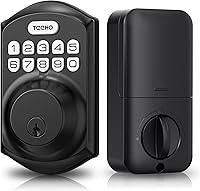
The best keyless entry door locks include the TEEHO TE001 keypad deadbolt for keeping existing handles, the Yamiry keypad knob lock for round knob replacements, and the Veise KS01B keypad lock for replacing both pieces.
On this page (8 sections)
- Which best keyless entry door lock pick fits your home?
- How were these keypad locks compared?
- What should you check before choosing a keypad door lock?
- Which access controls will your household actually use?
- How should you set up a keyless lock safely?
- How do you care for a battery-powered keypad lock?
- What mistakes should you avoid with keyless entry?
- Which best keyless entry door lock should you choose?
The TEEHO TE001 keypad deadbolt is the best keyless entry door lock here if you want to keep your separate door handle. Choose the Veise KS01B for a deadbolt with included lever handles, or the Yamiry for a round keypad knob.
The biggest choice is which hardware you need to replace. A keypad built into a handle solves a different problem from a keypad deadbolt mounted above one.
After that, focus on door fit, guest access and what happens when batteries run low. Extra modes help only when they match how your household uses the door.
For more keypad choices, see the best keypad door locks. For the differences between local code entry and connected features, read our complete smart lock and keyless entry guide.
Our picks at a glance
-
1
-
2

-
3
- 4
 Check it
TEEHO TE004 keypad handle lock
Best for shared room access - 5
 Best for late night arrivalsCheck it
Which best keyless entry door lock pick fits your home?
Choose the TE001 for a deadbolt replacement, the KS01B for a coordinated hardware set, or one of the integrated knob and lever options for handle-based entry. Match the format first, then compare the controls you'll use each day.
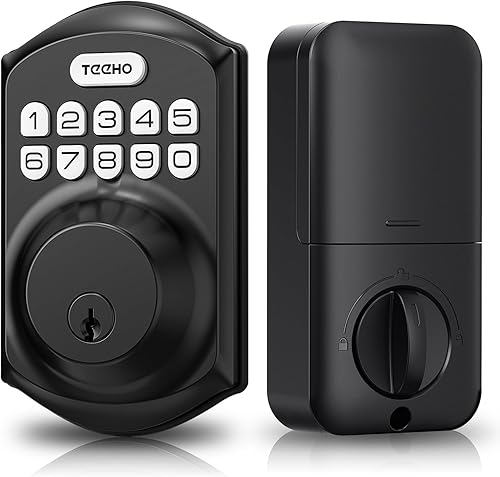
TEEHO TE001 keypad deadbolt
- 20 user codes
- One-time guest code
- Adjustable auto-lock
- 2 backup keys
Choose this deadbolt when your existing separate handle can stay. Family codes and single-use guest access cover everyday entry without replacing the whole door hardware set.
Pros
- Guest code deletes after use
- Timed and one-touch locking
- Low-battery indicator
Cons
- Does not fit 38 mm bore holes
- No connected controls
TEEHO TE001: the best keyless entry deadbolt for keeping your handle
The TE001 suits a front door with a separate handle that still works well. You can add keypad access without replacing that handle or changing its grip.
It provides 20 user codes and a single-use guest code, plus 2 mechanical backup keys. Separate household codes make it easier to remove one person's access without changing everyone else's.
Auto-lock adjusts from 10–99 seconds and starts off disabled. You can also hold any keypad key for 2 seconds to lock the door when leaving.
The key fit restriction is its 2-1/8 in bore requirement; it does not fit a 38 mm hole. Measure the opening rather than assuming an older deadbolt used today's common dimensions.
Reset the TE001 before first use so it can detect the door direction. Do that before adding household codes, and keep the door open while checking its operation.
Skip this model if you need a new handle included or want app-based control. Its strength is straightforward entry at the door, with less hardware to replace than a full set.
Yamiry keypad knob lock
- 20 user codes
- One-time guest code
- Adjustable auto-lock
- 2 backup keys
A round keypad knob suits doors where you want to keep a knob layout. Choose another format if turning a knob is uncomfortable or you need a separate deadbolt replacement.
Pros
- 4–8 digit user codes
- Auto-lock can be disabled
- Backlit keypad
Cons
- Confirm battery type and door measurements
- Round knob requires a turning grip
Yamiry: choose it when you want to retain a knob layout
The Yamiry suits a door where you want the keypad and locking control built into a round knob. It is a different replacement route from changing a separate deadbolt above an existing handle.
Its 20 user codes use 4–8 digits, and a one-time code gives a visitor entry without sharing a permanent household PIN. Two duplicatable keys provide a mechanical backup.
Auto-lock adjusts from 5–99 seconds or can be disabled. A short delay suits quick entries, while a longer delay is easier when several people pass through together.
The backlit keypad helps after dark, and random extra digits can conceal the real code during entry. That feature helps with casual observation, but you should still shield the keypad when someone stands nearby.
Choose another format if gripping and turning a knob is difficult for anyone in the household. A lever can be easier to operate, though you should check the actual handle shape and clearance.
Confirm the Yamiry's door measurements and battery type before buying. If remote access is essential, establish its exact connected capabilities rather than choosing it because of the word “smart.”
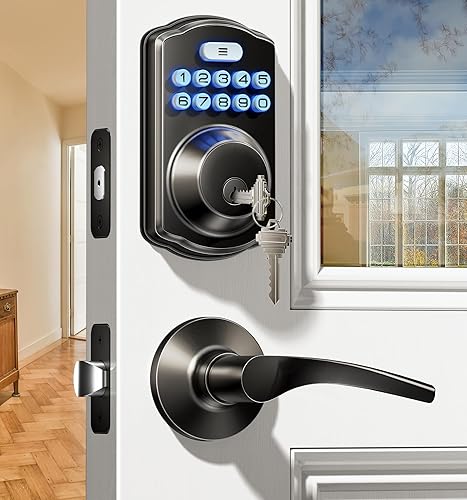
Veise KS01B keypad lock
- Deadbolt and 2 lever handles
- 20 permanent user codes
- One-time guest passwords
- Vacation mode
This set replaces a separate deadbolt and handle with coordinated keypad hardware and lever handles. It suits a fuller hardware refresh better than a door needing only a new deadbolt.
Pros
- Two lever handles included
- Single-use guest access
- Silent mode keeps security alerts audible
Cons
- More hardware to fit than a deadbolt alone
- Avoid prolonged direct sunlight
Veise KS01B: choose it for a deadbolt and handle refresh
The KS01B suits a door where both the separate deadbolt and handle need replacing. Its included pair of lever handles gives you a coordinated set without choosing those pieces separately.
There are 20 permanent user codes, a master code and one-time guest passwords. The distinction matters: keep the master code for administration and give regular users their own entry codes.
Its auto-lock range is 10–99 seconds, with outside locking available by holding a keypad key for 2 seconds. Vacation mode disables codes other than the master code, so check who still needs entry before enabling it.
Silent mode mutes keypad beeps while keeping low-battery and security alerts audible. That suits a household wanting less routine noise without silencing those warnings.
The set fits left- and right-handed doors 1-3/8 to 2 in thick. Check the spacing between your existing deadbolt and handle positions, as well as clearance for both interior assemblies.
Veise advises keeping liquids away from the keyhole and interior and avoiding prolonged direct sunlight. Skip this set if your current handle is fine and you only need a deadbolt; the extra hardware adds installation work without solving another problem.
TEEHO TE004 keypad handle lock
- 20 user PIN codes
- One-time codes
- Passage mode
- Optional keypad mute
A satin nickel keypad lever suits a shared office or storage room needing individual access codes. Passage mode lets you allow free entry during busy periods.
Pros
- Interior thumbturn
- Two backup keys
- Backlit keypad with optional mute
Cons
- Auto-lock needs attention during setup
- Does not replace a separate deadbolt
TEEHO TE004: choose it for a shared office or storage room
The TE004 is a satin nickel keypad lever suited to a shared room where several people need access. It combines code entry and a handle in one assembly rather than replacing a separate deadbolt.
Its 20 user PINs, one-time codes and 2 backup keys cover regular users, occasional visitors and mechanical access. Passage mode suits periods when people need to come and go freely.
This model fits doors 1-3/8 to 2 in thick, with a 2-1/8 in bore and either a 2-3/8 or 2-3/4 in backset. It supports left- and right-handed doors.
Auto-lock is enabled by default and adjusts from 10–99 seconds. Review that setting before closing the door, especially if everyone is used to a room staying accessible throughout the day.
An interior thumbturn provides manual control, while the backlit keypad has an optional mute setting. Decide who may change modes so a shared door does not stay accessible by accident.
Skip it if your main goal is replacing an upper deadbolt while retaining the lower handle. For an exposed outdoor position, confirm suitability with TEEHO before choosing this model.
Veise KS04 keypad lock
- One-time guest codes
- Silent mode
- Passage mode
- Away mode
Choose this satin nickel lever for quiet keypad entry near sleeping rooms. Its passage and away modes also suit a door whose access needs change through the week.
Pros
- Silent mode and backlit keypad
- Interior thumbturn
- Away mode restricts user codes
Cons
- Silent mode does not eliminate door noise
- Does not replace a separate deadbolt
Veise KS04: choose it for quieter keypad entry
The KS04 suits a doorway near sleeping rooms where keypad beeps are unwelcome. Its silent mode and backlit keypad make it worth considering for late arrivals, but the latch and closing door will still make sound.
This satin nickel lever includes an interior thumbturn, user codes, one-time codes and 2 backup keys. Give visitors their own access rather than sharing the code used by everyone at home.
Auto-lock adjusts from 10–99 seconds. For passage mode, disable auto-lock and use the interior thumbturn as directed, then check that normal locking is restored when free access ends.
Away mode disables user codes except the master code. It suits periods when ordinary access should stop, but remember that a cleaner or relative's regular PIN will stop working too.
The KS04 fits doors 1-3/8 to 2 in thick with a 2-1/8 in bore. Veise gives it an IP55 weather-resistance rating, which does not remove the need to protect the interior assembly from water.
Choose it for its quiet-entry controls and lever layout. Skip it if you need a separate deadbolt or expect silent mode to quiet the whole door.
How were these keypad locks compared?
We compared hardware format, code management, backup access, locking controls and fit. The TE001 leads because it covers common deadbolt replacement needs without requiring a full handle change.
The order is useful once you've narrowed the hardware type. For a door needing replacement lever handles as well, the KS01B solves more of the job even though it sits below the TE001.
A weather-resistance label or code count does not measure the security of the whole doorway. Door condition, frame strength and correct installation still matter.
What should you check before choosing a keypad door lock?
Check format, measurements and door alignment before choosing convenience features. These determine whether the lock fits and whether it can move freely after installation.
Decide whether you're replacing a deadbolt, knob or lever
Choose a separate keypad deadbolt when you want to keep a working lower handle. Choose a set when both pieces need replacing, and an integrated keypad knob or lever when that is the hardware position you need to change.
A locking handle and a separate deadbolt have different roles. Adding a keypad to a handle does not turn it into an upper deadbolt or replace one that is already on the door.
Consider every regular user, including anyone with limited grip or reach. The keypad must be easy to see and press, and the handle must be comfortable to operate.
If you're choosing between integrated handles and separate pieces, compare our keyless entry door locks with handles.
Measure the door rather than the old lock's face
Measure the bore diameter, door thickness and backset. Backset means the distance from the door edge to the center of the main hole.
Also look for trim, storm doors or nearby hardware that could block the keypad, lever or battery cover. Leave enough interior clearance to change batteries without dismantling another fitting.
Do not enlarge a hole or move hardware until you've confirmed all the requirements. Use our smart lock installation guide to work through the measurements before removing the existing lock.
Correct a sticking door before adding electronics
A suitable door should close without lifting, slamming or leaning on it. With the door shut, the bolt or latch should move into its receiving opening without force.
If the door rubs or the bolt catches, address the hinges, alignment or strike position first. A powered lock cannot correct a sagging door, and repeated resistance puts unnecessary demand on its mechanism and batteries.
Leave enough time to fix those issues during installation. Rushing to finish before leaving home is how a small alignment problem becomes a locked-door problem.
Which access controls will your household actually use?
Prioritize separate user codes, suitable guest access and a reachable backup key. Those choices affect daily use more than collecting modes you rarely need.
Give each regular user a separate code
Individual codes let you remove one person's access without making the whole household learn a new PIN. Keep a private record of who has each code, but do not label that record with an obvious door address.
Avoid birthdays, street numbers and simple repeated digits. Where code length is adjustable, choose a length everyone can enter accurately without making it easy to guess.
Keep the administrator code separate from everyday codes. Someone who only needs to enter the home does not need permission to change its access settings.
Match guest access to the number of visits
All 5 picks support single-use guest access, which suits one scheduled visit. It is less useful when a worker must return repeatedly for tools or a visitor may leave and come back.
Explain that the code stops working after use. Otherwise, someone may step outside expecting to return with the same PIN.
For a recurring visitor, a separate regular code can be more practical if you remove it when the arrangement ends. Do not assume a one-time code also provides scheduled hours or remote administration.
Choose an auto-lock delay around your doorway
Start with enough time for everyone to enter and close the door comfortably. A very short delay can be awkward when carrying groceries, helping children or bringing in a pet.
Auto-lock is not a door closer. It cannot pull an open door shut, and automatic locking alone should not be treated as confirmation that the entrance is secure.
Use passage mode only when free access is intentional. When the event or moving job ends, restore normal locking and check the door from outside while keeping another entry option available.
Separate keypad access from remote control
Local keypad entry does not require an internet connection on a nonconnected lock. That suits a home where codes are managed at the door and nobody needs remote status checks.
If you need to grant access while away, receive activity alerts or control a lock through an app, choose a model with those exact capabilities. Our guide to Wi-Fi smart locks covers that different buying goal.
For a broader feature checklist, use how to choose a smart lock for your front door.
How should you set up a keyless lock safely?
Finish setup with the door open, then check normal operation before relying on the lock. Keep a working alternative entry method available throughout installation.
Follow the model's programming order
Read the instructions before inserting batteries or starting door-direction setup. The correct order can matter, especially when a lock needs to learn how its mechanism moves.
Set a new administrator code and add one household code first. Check keypad entry, inside operation and the mechanical key before entering the rest of your codes.
Keep wires clear of screws and moving parts where applicable. Tighten fittings evenly and stop if the handle or thumbturn begins to bind.
Check closed-door operation without risking access
First confirm smooth movement with the door open, then repeat with the door closed while someone remains inside. The lock should not need a shove or pull to finish moving.
Check a guest code, the chosen auto-lock delay and any mode you plan to use. Confirm what the indicator lights and sounds mean instead of guessing from their color or volume.
Show every household member how to leave from inside and how to use backup access. A feature is only useful if the people relying on it understand it.
How do you care for a battery-powered keypad lock?
Keep the mechanism moving freely, replace batteries promptly and clean gently. Treat access management as part of care too, especially after visitors or service arrangements change.
Plan battery changes before the warning becomes urgent
The TE001, KS01B, TE004 and KS04 use 4 AA batteries, not included. Follow each model's required battery chemistry; the KS01B and KS04 specify alkaline batteries, and you should confirm the Yamiry's requirements separately.
TEEHO describes up to a year of battery life for the TE001 and TE004, and Veise gives year-long estimates for its models here. Use the low-battery alert as your replacement signal rather than assuming a fixed calendar lifespan.
Fit a fresh matching set instead of mixing old and new cells. Keep replacements available, and see our guide to keypad door lock batteries for more planning help.
Keep a backup key somewhere useful
A mechanical key inside the locked home cannot help when you're outside. Consider a trusted nearby person or another secure arrangement that gives you access without leaving a key in an obvious hiding place.
Make sure you can identify the right key quickly. Check that it operates smoothly before you depend on it during a battery problem.
Clean the keypad and review old codes
Use the cleaning method in the manual, and avoid spraying liquid directly onto the lock. Wipe the keypad gently rather than using harsh cleaners that may damage its surface.
Keep the keyhole clear of dirt and moisture, and use only maintenance products the manufacturer recommends. Periodically remove access codes that no longer serve a purpose.
What mistakes should you avoid with keyless entry?
Avoid buying the wrong hardware format, sharing one code with everyone and ignoring a stiff door. These mistakes cause more practical trouble than a small difference in code capacity.
Do not choose by finish alone. A matching satin nickel lever is no help if the door needs a separate deadbolt or lacks clearance for the assembly.
Do not treat anti-peeping entry as permission to share your real code freely. Extra random digits can hide its position during entry, but anyone who knows the actual PIN can still use it.
Do not assume weather resistance means every part can get wet. Protect the interior assembly and follow the model's exposure limits.
Finally, review passage, vacation and away modes before leaving home. A mode that disables guest codes or leaves the door accessible can be useful, but only when you intended that result.
Which best keyless entry door lock should you choose?
Choose the TEEHO TE001 if your separate handle can stay and you need a keypad deadbolt. Choose the Veise KS01B if both the deadbolt and handle need replacing.
Pick the Yamiry for a round knob layout after confirming its fit and battery requirements. For an integrated satin nickel lever, choose the TEEHO TE004 for shared room access or the Veise KS04 when quieter keypad entry matters.
The best keyless entry door lock is the one that fits your door and matches your access routine. Settle the hardware format first, then use our keypad door lock guide if you need more choices within that format.
Our top 3 picks at a glance
-
1
-
2
-
3
Frequently asked questions
What is the best keyless entry door lock for most homes?
The TEEHO TE001 is the best choice here for homes keeping a separate door handle and replacing only the deadbolt. Choose the Veise KS01B when both pieces need replacing.
Door fit comes first: a higher score cannot make the wrong hardware format suitable for your door.
Do keyless entry door locks need batteries?
These electronic keypad locks need battery power for code entry. The TE001, KS01B, TE004 and KS04 use 4 AA batteries; confirm the Yamiry's required type before buying replacements.
Keep a mechanical key accessible outside the locked home and read our guide to whether keypad door locks need batteries.
Can a keypad lock work without Wi-Fi?
Yes, a local keypad lock can accept codes without Wi-Fi. The TE001, KS01B and KS04 are nonconnected choices, so they suit households that want entry at the door without network setup.
Remote access requires separate connected features; our guide to smart locks without Wi-Fi explains the difference.
How do I know if a keypad lock fits my door?
Match the lock's requirements to your door thickness, bore diameter and backset, then check clearance around nearby hardware. A matching finish or familiar handle shape does not establish fit.
Measure before removing the old lock; our smart lock installation guide explains the measurements and installation steps.