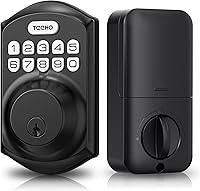
Smart Deadbolt or Handle Set: What Should You Buy?
Choose a deadbolt-only smart lock if your existing handle still fits and works; choose a deadbolt and handle combo if you want both parts replaced together. Check your door measurements and the lock’s access methods before you buy.
On this page (6 sections)
- Should you buy a smart deadbolt or a handle combo?
- What should you measure before buying a combo?
- Which access methods matter for a handle set?
- Which smart lock deadbolt and handle combo fits your needs?
- Do you need Wi-Fi in a deadbolt and handle combo?
- Is a deadbolt and handle combo right for your front door?
Choose a smart lock deadbolt and handle combo if you want to replace both the lock and the matching handle at once. If your handle already works and you only need keyless access, a smart deadbolt by itself may be the simpler fit.
The main choice is about your door hardware, not how “smart” the lock is. Measure the door and decide whether you need to replace the handle before comparing app control, PIN codes, fingerprints, keys, or remote access.
If you’re still comparing lock types, start with our complete smart lock and keyless entry guide. For a handle set shortlist, see the best keyless entry door locks with handles.
Should you buy a smart deadbolt or a handle combo?
A deadbolt-only smart lock is usually enough when your existing handle is in good shape and compatible with the new lock. Choose a combo when the handle also needs replacing or you want the deadbolt and handle supplied as one coordinated set.
A handle set can save you from matching a new keypad lock to old hardware. It can also add installation work if the new handle uses a different hole layout, so check dimensions before choosing by appearance.
| Your door situation | A better starting point |
|---|---|
| Existing handle works and you want keyless entry | Smart deadbolt only |
| Handle is worn, loose, or mismatched | Deadbolt and handle combo |
| You want to replace the deadbolt and handle together | Deadbolt and handle combo |
| You are unsure about the door’s holes or dimensions | Measure first, then compare fit requirements |
| You want fewer parts to change | Smart deadbolt only, if the current handle fits |
A combo does not mean the handle itself is electronic. In these sets, the electronic locking features are in the deadbolt, while the handle operates the door.
Check the included components and installation requirements so you know what is being replaced.
What should you measure before buying a combo?
Measure door thickness and the lock holes first, then compare them with the model’s fit requirements. A handle set may require a specific arrangement of holes or spacing, even when the deadbolt itself fits.
Check these measurements:
- Door thickness: Measure the door edge, not a trim piece. The Philips Wi-Fi Deadbolt with 2 Handles fits 1-3/8 to 2 in doors; the Philips Wi-Fi Front Lock Set fits 35 to 50 mm doors.
- Backset: Measure from the door edge to the center of the cross bore. The Philips Wi-Fi Deadbolt with 2 Handles supports 2-3/8 or 2-3/4 in backsets.
- Cross bore and edge bore: The Philips Wi-Fi Deadbolt with 2 Handles requires a 2-1/8 in cross bore and a 1 in edge bore.
- Existing hole pattern: The Veise VE06-H Wi-Fi requires 3 pre-drilled holes with spacing that matches its installation requirements.
- Handing and door swing: Confirm the set supports your left- or right-handed door. Both Veise models support left- and right-handed doors.
A model’s broad fit range does not confirm that every part will align with your existing holes. If measurements do not match, check the manufacturer’s installation instructions before drilling or changing the door.
Our smart lock installation guide walks through the fit checks and preparation to do before removing existing hardware.
Which access methods matter for a handle set?
Choose entry methods your household will use and controls that fit how you share access. A keypad can work for household members who don’t want to carry a key, while backup keys or fobs provide another way in.
These 4 options cover different needs:
- Veise VE06-H Wi-Fi: App, code, fobs, mechanical key, and thumb turn. Remote control and Alexa or Google integration require the separately sold Veise G2 gateway.
- Veise VE017G-H Wi-Fi: Voice, fingerprint, app, codes, cards, backup key, user authorization, and code sharing. It includes a Wi-Fi gateway and works with Alexa and Google.
- Philips Wi-Fi Deadbolt with 2 Handles: App, fingerprints, PIN codes, keys, and voice commands through Amazon Alexa or Google Assistant. Voice control requires the included gateway to be connected, and the lock supports 2.4 GHz Wi-Fi only.
- Philips Wi-Fi Front Lock Set: App, fingerprints, PIN codes, keys, and voice commands through Amazon Alexa or Google Assistant. It has built-in Wi-Fi and supports remote app management and guest PIN codes.
Don’t choose by the number of methods alone. Consider which ones you’ll use, whether a gateway is included or sold separately, and whether you need remote control away from home.
For a broader look at wireless features, read how Wi-Fi smart locks work. If remote access is not a priority, our guide to smart locks without Wi-Fi can help you weigh local entry options.
Which smart lock deadbolt and handle combo fits your needs?
Choose the Veise VE06-H Wi-Fi for fob and keypad access, or the Veise VE017G-H Wi-Fi if you also want fingerprints and an included gateway. The Philips sets offer fingerprint entry and Philips app controls, with different Wi-Fi setups.
These options appear below in order of their site-wide scores. Our scores weigh the supported specs and features against what you’re shopping for.
Veise VE06-H Wi-Fi: smart deadbolt and handle combo
The Veise VE06-H Wi-Fi suits buyers who want a handle set with nearby app control, fobs, a keypad, and a mechanical key. Remote control and smart home integration require the separately sold G2 gateway.
Best for fob access with optional Wi-Fi. Our score: 8.
The app supports user management, access records, eKeys, and multiple types of user codes. You can generate and share codes remotely, but changing codes or their valid times requires being within range or connecting the G2 gateway.
The set includes 2 fobs and 2 backup keys. Its entry options do not include fingerprint access, so choose another model if you want that method.
Before buying, verify the required 3-hole layout and spacing as well as door thickness. Veise specifies most standard US left- and right-handed doors from 1-3/8 to 2 in thick.
Choose it if fobs and a mechanical key fit your routine. If you need remote app control, include the separate gateway in your setup plan.
Veise VE017G-H Wi-Fi
The Veise VE017G-H Wi-Fi suits buyers who want fingerprint and card entry in a handle set with remote app control. It includes a Wi-Fi gateway, 2 keys, and 2 IC cards.
Best for fingerprint and card access together. Our score: 7.8.
The KK Home app supports remote locking and entry, user management, password sharing, lock status checks, notifications, and activity logs. The lock also works with Alexa and Google voice commands.
Veise specifies a fit for most standard US left- and right-handed doors from 1-3/8 to 2 in thick. Veise describes the deadbolt as tested to ANSI Grade 3 and by BHMA; that does not make the door resistant to every form of forced entry.
It uses 4 AA batteries, which are not included. The access options also include user authorization and code sharing for managing access from your phone.
Choose it if both fingerprint and card access are useful to your household. Confirm your door thickness and the handle’s hole spacing before replacing the existing hardware.
Philips Wi-Fi Deadbolt with 2 Handles
The Philips Wi-Fi Deadbolt with 2 Handles suits buyers who want a keypad lock and handle set with a gateway included. It supports app control, fingerprints, PIN codes, keys, and voice commands through Alexa or Google Assistant.
Best for Philips controls with an included gateway. Our score: 7.5.
The Philips app supports remote locking and entry, lock status checks, access history, notifications, and permission management. The lock supports 2.4 GHz Wi-Fi only, and Philips recommends keeping it within 65 ft of the router for remote control performance.
This model fits doors from 1-3/8 to 2 in thick, with a 2-1/8 in cross bore and a 1 in edge bore. It supports either a 2-3/8 or 2-3/4 in backset.
The included gateway must be connected for voice control. Philips also notes that a new 3/8 in hole may be needed if the mounting dimensions do not match.
Choose it if you want Philips app features and a gateway supplied together. Check the handle’s mounting requirements as carefully as the deadbolt measurements.
Philips Wi-Fi Front Lock Set
The Philips Wi-Fi Front Lock Set fits buyers who want a keypad deadbolt and 2 handles with built-in Wi-Fi. It supports app, fingerprint, PIN, key, and voice access through Alexa or Google Assistant.
Best for Philips controls with built-in Wi-Fi. Our score: 7.4.
The Philips app supports remote locking and entry, door status checks, notifications, access history, and permission management. The set includes a handle set and 4 batteries, and it fits doors from 35 to 50 mm thick.
You can manage up to 100 user codes and create unlimited one-time PINs. The auto-lock timer can be set from 30 to 180 seconds, but a timer does not confirm that the door is closed.
Compare your door’s backset, bore sizes, and handle hole spacing with the installation instructions before buying. Door thickness alone is not enough to confirm a fit.
Choose it if you want Philips app features and built-in Wi-Fi in a matching handle set. Confirm the full mounting layout before settling on this option.
Do you need Wi-Fi in a deadbolt and handle combo?
Wi-Fi matters for remote app control when you want to manage a lock while away from home. If you mainly use a keypad, fingerprint, key, or fob at the door, local entry methods may matter more.
Check whether a gateway is included. The Veise VE06-H Wi-Fi needs the separately sold G2 gateway for remote control and Alexa or Google features, while the Veise VE017G-H Wi-Fi includes a gateway.
The Philips Wi-Fi Deadbolt with 2 Handles also includes a gateway, which must be connected for voice control. The Philips Wi-Fi Front Lock Set has built-in Wi-Fi.
Network setup is another part of installation. Confirm the required Wi-Fi band, router distance guidance, and app requirements for the model you choose.
Read our Wi-Fi smart lock guide if remote control, notifications, and app access are key parts of your decision. For the trade-offs when the internet is unavailable, see do smart locks work without Wi-Fi?.
Is a deadbolt and handle combo right for your front door?
A combo fits a project that replaces both the deadbolt and handle. Keep your existing handle if it works, fits the door, and leaves enough room for the new smart deadbolt.
Before ordering, write down your measurements and compare them with the lock’s requirements. Then choose the entry methods your household will use, and note whether remote app control needs a gateway.
Pick a deadbolt-only smart lock if the handle already works and you want to change just the lock. Pick a smart lock deadbolt and handle combo if you need a matching replacement set; use our keyless entry locks with handles guide to compare more options.
Frequently asked questions
What is a smart lock deadbolt and handle combo?
It is an entry set that pairs an electronic deadbolt with a handle set for the same door. The handle opens and closes the door, while the deadbolt provides the locking function.
Check the package contents and your door’s hole layout to confirm the set includes the pieces and fits your setup.
Do I need to replace my handle when I install a smart deadbolt?
No, you can keep a separate handle if it works, fits the door, and leaves enough space for the smart deadbolt. A combo can make sense when the current handle is worn, mismatched, or incompatible, but verify the new handle’s placement and required holes before ordering.
Can a smart deadbolt and handle set work without Wi-Fi?
Yes, these sets offer physical keys and other entry methods that do not depend on Wi-Fi, though app features vary by model. Check which controls need a gateway, then read our guide to smart locks without Wi-Fi for the difference between local entry and remote control.
What should I measure before buying a handle combo?
Measure door thickness, backset, cross bore, edge bore, and the spacing between existing holes. Compare those measurements with the lock maker’s fit requirements, and check whether the handle set needs additional holes.
A smart lock can have the right access features and still fail to fit your door.